Most businesses do not lack tools; they lack time. Answering the same customer questions, copying leads between spreadsheets and chasing follow-ups quietly eat hours every week. AI chatbots and workflow automation can take much of that off your team, but only if you choose the right things to automate and start small. This guide explains what to automate first, how a sensible rollout looks, and where projects usually go wrong.
Key takeaways
- Automate repetitive, rule-based work first; keep people for judgment and relationships.
- A chatbot is only as good as the answers and data you give it.
- Always give customers a clear way to reach a human.
- Start with one process, measure it, then expand.
- Keep customers' data protected and tell them when they are talking to a bot.
Chatbot, automation and AI agent: what is the difference?
These words are often mixed up, so it helps to separate them:
- Workflow automation connects your tools and moves information between them by rules: when a form is submitted, add the lead to your CRM, notify the team and send a confirmation.
- A chatbot talks with customers on your website, WhatsApp or another channel and answers their questions.
- An AI assistant uses a language model to understand free-form questions and reply in natural language, usually grounded in your own content so it does not invent answers.
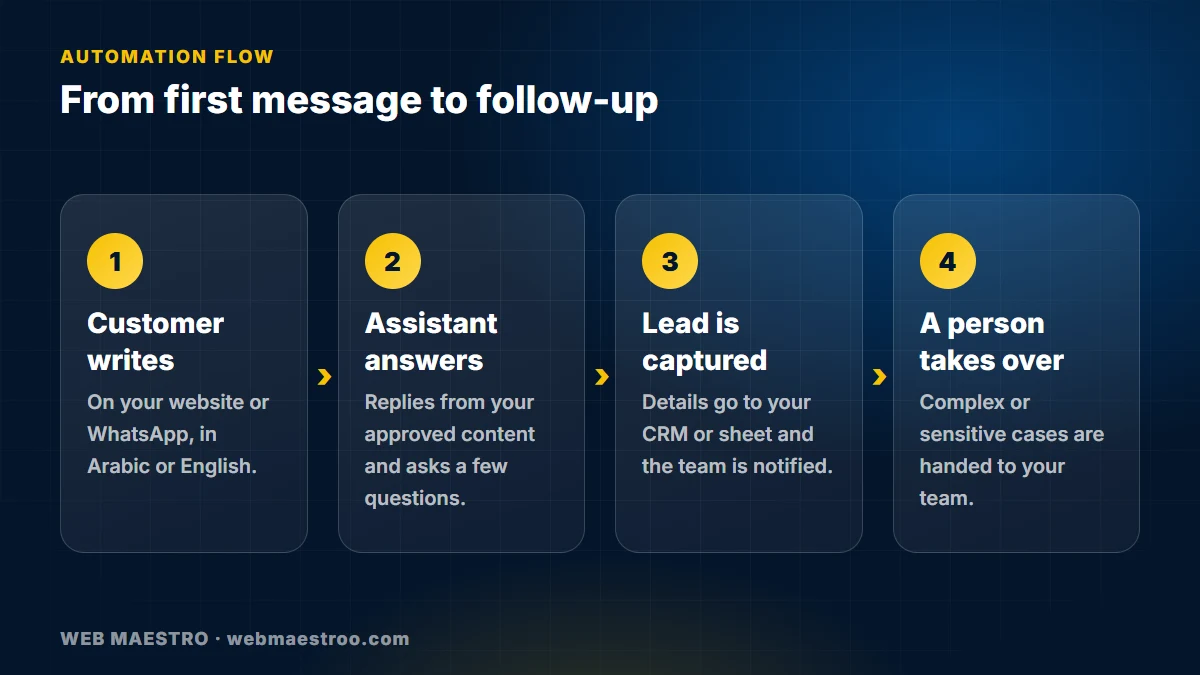
In practice the most useful systems combine all three: an assistant answers and collects details, and automation takes it from there.
What to automate first
A good first candidate is frequent, predictable and low-risk. These are the areas where businesses in our region usually see the quickest benefit:
- Frequently asked questions. Opening hours, services, locations, delivery, booking steps. If your team answers the same ten questions all day, start here.
- Lead capture and qualification. Ask the visitor a few questions, collect their name and contact details, and send the lead straight to the right person.
- Booking and reminders. Confirm appointments, send reminders and let people reschedule without a phone call.
- Internal routine work. Weekly reports, invoice reminders, copying data between systems, onboarding checklists.
- Follow-ups. A message to a customer who asked for a quote, or a request for a review after a completed job.
What not to automate
Leave people in charge of anything sensitive or emotional: complaints, refunds, medical, legal or financial advice, and negotiations. A bot can collect the details and route the case, but a person should decide and reply. Automating the wrong thing damages trust faster than it saves time.
Arabic and English from day one
If your customers write in both languages, the assistant has to understand both, including dialect and mixed Arabic and English messages. Test it with real messages from your inbox, not only with clean example sentences. Also check that replies read naturally and that the interface works right-to-left.
How a sensible rollout looks
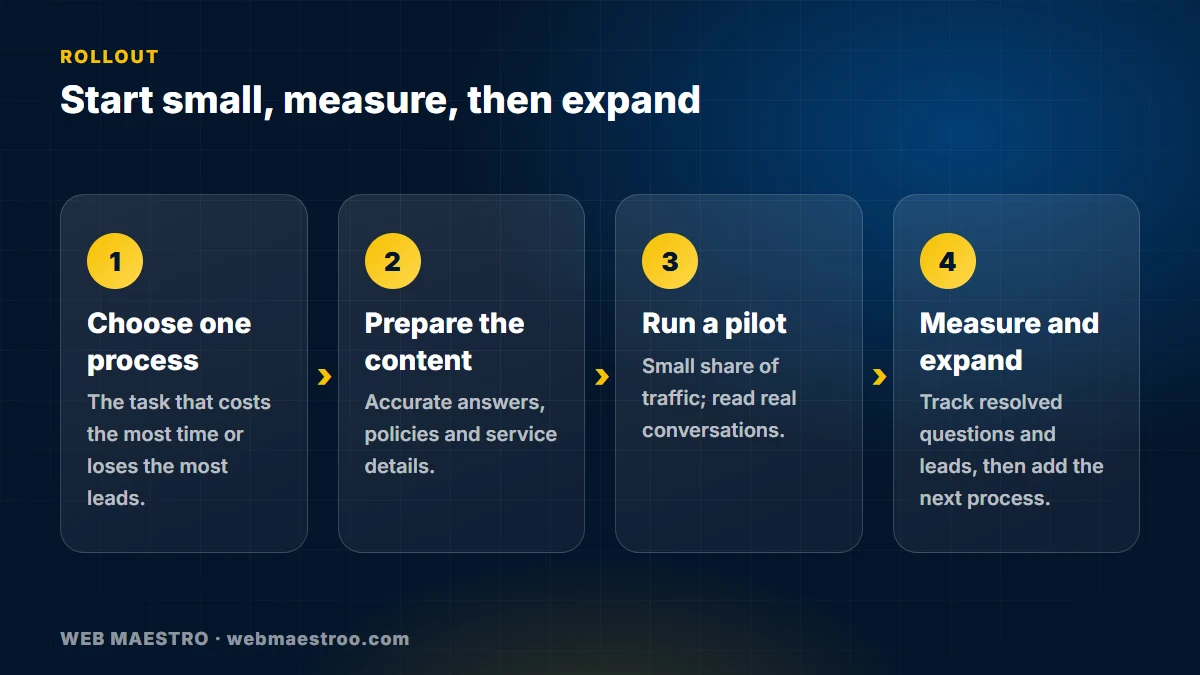
- Choose one process. Pick the task that costs the most time or loses the most leads.
- Prepare the content. Collect accurate answers, policies and service descriptions. The assistant can only be as accurate as this material.
- Run a pilot. Launch to a small share of traffic, read the real conversations and fix the gaps.
- Measure and expand. Track how many questions are resolved, how many are handed to staff and whether leads increase, then add the next process.
Common mistakes
- Hiding the human option. Customers who are stuck in a loop leave. Offer a visible hand-over.
- Feeding it vague or outdated content. Wrong answers cost more than no answer.
- Launching without reading transcripts. The first weeks of real conversations teach you more than any plan.
- Ignoring privacy. Store only what you need, protect it, and tell users what is collected and why.
- Automating a broken process. Fix the process first; automation makes a bad process faster, not better.
How we approach it
At Web Maestro we build assistants and workflows around the way your business already works: websites and WhatsApp as the front door, a CRM or spreadsheet behind it, and clear rules for when a person takes over. We keep conversations logged so you can review and improve them. You can see the kind of system we mean in our AI and automation service.
Frequently asked questions
Will a chatbot replace my customer service team?
No. It handles repetitive questions and collects details so your team can spend time on the conversations that need a person. Most businesses use it to answer faster, not to remove people.
Can the chatbot work on WhatsApp?
Yes, businesses commonly connect an assistant to WhatsApp and to their website chat. The channel rules and approvals come from the platform, so we plan the setup around them.
How do I stop it from giving wrong answers?
Ground it in your own approved content, tell it what it should not answer, review transcripts regularly and keep a clear hand-over to your team.
How long does it take to start?
A focused first process, such as frequently asked questions plus lead capture, can be piloted quickly. The time depends mostly on how ready your content and systems are.
Is it safe for customer data?
It can be, if you collect only what you need, store it securely, limit who can read it and explain it in your privacy policy. Ask any provider where data is stored and who can access it.
Do I need technical staff to run it?
Not for daily use. After setup, your team mainly reviews conversations and updates the content. We can support the technical side.
Next step
Not sure what to automate first? Tell us about your process and we will suggest a small first step, or read about our business systems work.
This article is no longer available. Back to blog